Best QR Code Asset Tagging Software: A 2026 Buying Guide
TL;DR
Choose QR asset software by the workflow after scanning: maintenance, equipment assignment, or inventory control. Shortlist tools by that purpose, then test labels, access permissions, and mobile tasks at one property before expanding.
The best QR code asset tagging software connects a physical label to a useful asset record, not just a webpage. For facilities teams, that record should support maintenance decisions and clear job ownership. Leansite belongs on the shortlist for a facilities-focused evaluation alongside dedicated asset-management tools.
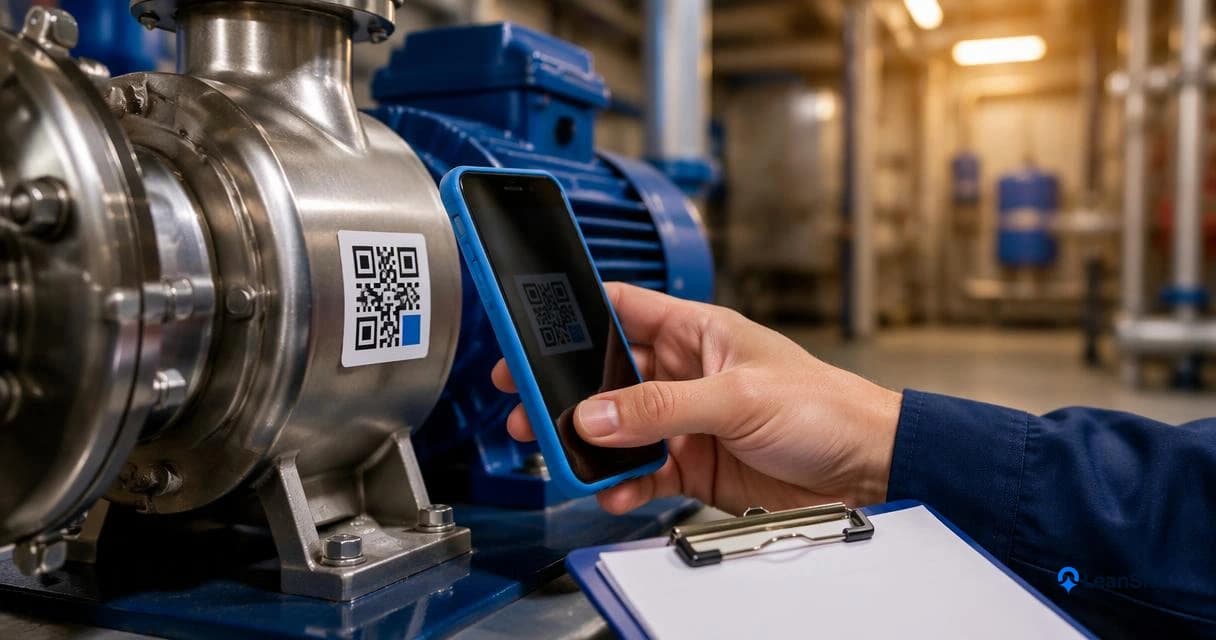
QR code asset tagging: Attaching a machine-readable QR label to equipment so a scan identifies the asset and opens its associated information or workflow.
Table of Contents
Best QR asset software options by workflow
The strongest shortlist separates facilities maintenance, equipment tracking, and QR generation rather than treating them as interchangeable products.
The available research supports a workflow-based comparison, not a hands-on performance ranking. Detailed vendor specifications, subscription limits, and label durability results weren't supplied, so the table distinguishes documented evidence from capabilities that need a demonstration.
Evidence-backed shortlist and demonstration checks
| Option | Best evaluation fit | Durable labeling | Scan-to-record access | Maintenance history | Permissions | Mobile usability |
|---|---|---|---|---|---|---|
| Leansite | Facility workflows and vendor coordination | Test chosen labels | Request asset-scan demo | Review service-history workflow | Test vendor access | Trial technician tasks |
| Snipe-IT | Equipment asset management | Test chosen labels | QR/barcode generation tutorial available | Confirm service-record needs | Confirm role configuration | Test phone scanning |
| INDTRAC QR | QR-based asset registration | Confirm label options | Research describes registering and tagging assets | Request demonstration | Request demonstration | Research identifies an app; test workflow |
| QR TIGER | QR generation and linked destinations | Test printed output | Generator review available | Requires a destination system | Confirm destination security | Test scan and destination |
Durability is a label-and-environment decision as much as a software feature. None of the supplied evidence establishes outdoor life, chemical resistance, or adhesion performance for these options.
Who should pick which option
- Facilities teams: Prioritize asset-linked work orders, service records, and vendor coordination. The facility management solutions guide provides a broader evaluation framework.
- Equipment custodians: Evaluate Snipe-IT when identifying individual devices is central to the workflow.
- Simple QR registration projects: Investigate INDTRAC QR, then verify access and reporting requirements.
- Existing database users: Consider a QR generator when the destination already provides secure records and maintenance workflows.
A generator creates the entry point; an asset platform manages the information behind it.
Snipe-IT QR generation walkthrough
The tutorial provides a starting point for evaluating label creation. A separate mobile trial should establish what happens after scanning.
What separates asset tagging from inventory control?
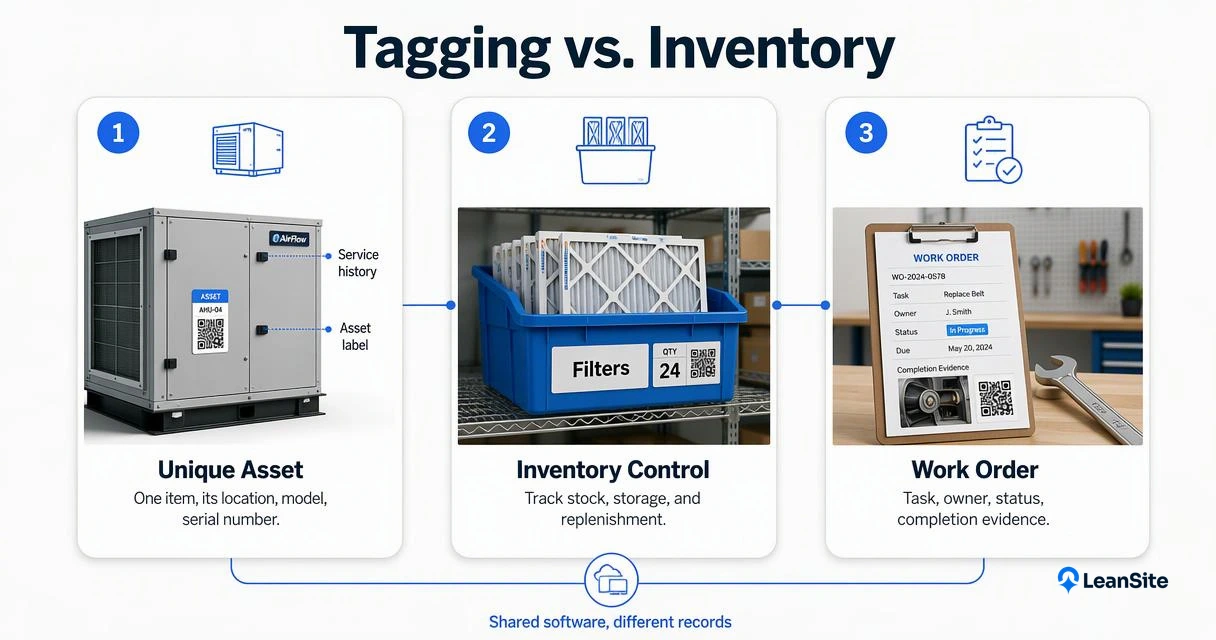
Asset tagging identifies a specific physical item, while inventory control manages quantities, stock movements, and replenishment. A QR label on an air-handling unit should retrieve that unit's service record; a stockroom workflow should track how many filters remain. The two functions can share software, but they require different records and transactions.
Three records that serve different purposes
- Asset record: A unique item, location, model, serial number, and service history.
- Inventory record: A part type, quantity, storage location, and reorder rule.
- Work order: A task, responsible party, status, and completion evidence.
For example, replacing a rooftop unit's filter creates a service event against the unit and a stock movement against the filter inventory. One scan doesn't automatically complete both transactions.
A QR code identifies the record; the software determines what staff can do with it.
QR scanning also isn't continuous location monitoring. A scan records an interaction, not every movement between scans.
How Leansite handles this
Leansite's facilities-management focus makes the maintenance workflow the central evaluation point: asset identification should connect to clear tasks, service visibility, and vendor coordination.
Evaluate the complete service workflow
The platform's work-order visibility guide offers a useful starting point for defining acceptance criteria. A demonstration should follow one asset from identification through assignment, completion, and review.
- Open the intended equipment record from a phone.
- Show completed work alongside current tasks.
- Give a contractor access appropriate to the assigned job.
- Review the asset within its property and portfolio context.
These are purchasing checks, not confirmed QR feature claims. The supplied material doesn't establish native QR generation, offline scanning, or specific permission settings.
Keep portfolio reporting in the evaluation
Multi-property teams should evaluate consistent location naming, asset categories, and reporting alongside scanning. The multi-location facilities management guide explains the wider operational context.
The distinction matters: a successful scan proves access, while consistent records support comparisons across properties.
How should a small-site QR pilot run?
- Select one property and a representative equipment group.
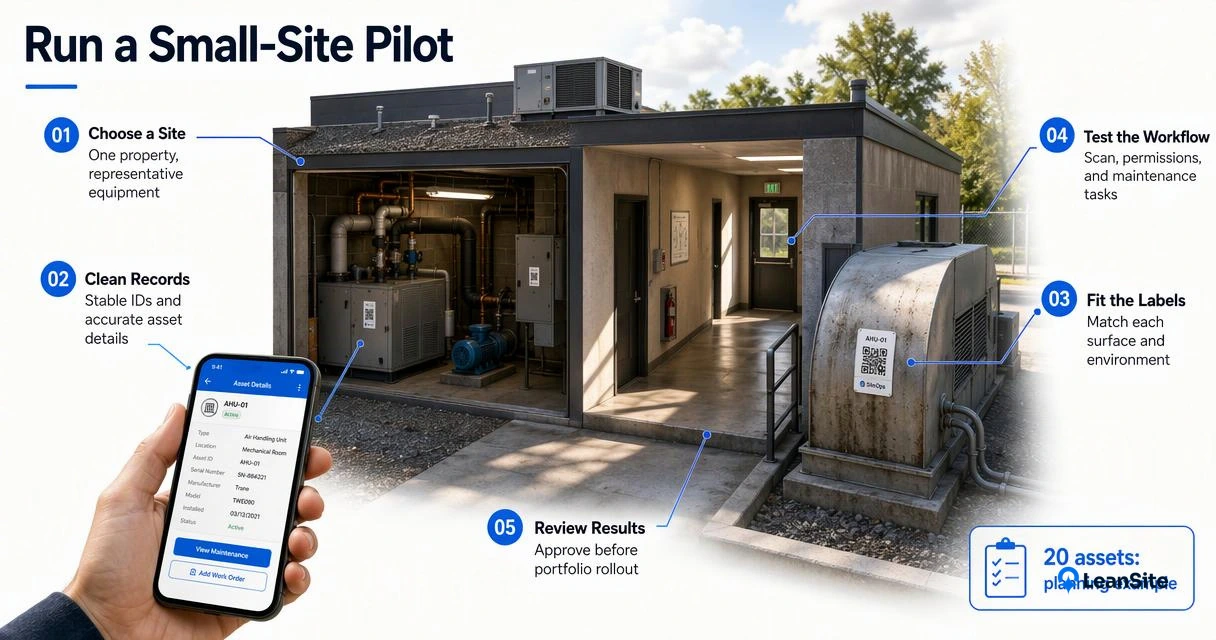
- Create stable asset identifiers and clean records.
- Attach labels suited to each surface and environment.
- Test scanning, permissions, and maintenance tasks.
- Review results before approving portfolio deployment.
Pilot checklist for real maintenance conditions
An illustrative pilot could cover 20 assets across mechanical rooms, outdoor equipment, and shared spaces; that number is a planning example, not a benchmark.
- Test dirty surfaces, curved housings, low light, and cleaning exposure.
- Check that scans open the correct asset without manual searching.
- Have a technician and contractor complete separate tasks.
- Confirm record exports and label replacement procedures.
- Test weak connectivity wherever equipment actually sits.
The offline maintenance software guide helps frame connectivity requirements. Record observed results rather than relying on a polished demonstration.
Prepare records for future analytics
Stable identifiers and structured service records are sensible foundations for future analytics. The 2022 review Digital Twins: modern Theory and Practice and the 2021 structural health monitoring overview provide related research context, not QR-software rankings or evidence of vendor performance.
Conclusion
Select the best QR code asset tagging software by proving the complete scan-to-service workflow at one property. For a facilities-focused evaluation, visit getleansite.com and arrange a Leansite demonstration using a sample asset record, a contractor task, and a completed maintenance job as acceptance tests.
Demi Oloyede
Leansite
Frequently Asked Questions
Can ordinary phone cameras scan asset tags?
Ordinary smartphone cameras commonly read QR codes, but opening the destination is only the first step. Authentication, browser compatibility, and any required application affect the actual workflow. The pilot should test the phones used by employees and contractors, including the steps needed to view records and submit updates.
Does a QR code expose confidential asset information?
A QR code can contain text or a link, so security depends on both its contents and the destination's access controls. Public labels should avoid embedding sensitive details directly. A secure implementation should require appropriate authentication before displaying restricted records or allowing changes, even when the label is visible.
Which label material works best for equipment?
The right material depends on heat, moisture, sunlight, chemicals, and surface texture. Software selection alone can't establish label life. Procurement teams should request material specifications and test samples on actual equipment, checking adhesion and readability after cleaning. Human-readable asset IDs also help staff identify equipment when scanning isn't practical.
More from the blog
- maintenance vendor coordination
In House vs Outsourced Facility Maintenance: A 2026 Guide
Compare maintenance staffing models by response coverage, skills, workload, and fully loaded costs, with an illustrative budget and hybrid decision guide.
- commercial property maintenance
Facilio vs MaintainX: A Practical Buyer’s Guide for 2026
Compare Facilio and MaintainX through portfolio oversight, technician workflows, integrations, and implementation. Use a practical demo scorecard.
- facility inspection software
Warehouse Facility Maintenance Software: A 2026 Buyer’s Guide
Compare warehouse maintenance software by dock-door uptime, building inspections, contractor coordination, and clear repair ownership.