


TL;DR
A useful maintenance audit trail preserves who changed a record, when it changed, and what changed, including approvals and deleted attachments. Buyers should test traceability, permissions, and exports with a sample work order rather than relying on a feature label.
A closed work order proves a job reached a status, not how it got there. A maintenance audit trail connects the work to the people, decisions, and evidence behind it. For facility managers and property owners, that distinction matters when reviewing vendor charges, recurring repairs, or portfolio performance.
Teams evaluating Leansite can use the requirements below to define the evidence their maintenance workflow needs, then test those requirements during a demonstration.
Table of Contents
What is a maintenance audit trail?
A maintenance audit trail is a chronological record of actions affecting maintenance records, including who acted, when the action occurred, and what changed. Unlike a completion log, it preserves the sequence behind the final result, allowing reviewers to reconstruct assignments, repairs, approvals, evidence updates, and later corrections.
Completion records versus change history
Completion log: A record of finished work, usually showing the asset, completion date, technician, and outcome.
Audit event: A recorded action linked to an identified person or system, a timestamp, and an affected record.
Tamper-evident history: A record designed to make later alteration detectable, rather than merely displaying the latest values.
A maintenance audit is the review process; the trail supplies evidence for that review. A spreadsheet can record events, but its revision history, permissions, and retention need assessment too.
A completion record describes the result. An audit trail explains the sequence that produced it.
Across properties, consistent asset and location identifiers make evidence easier to follow. The guide to maintaining visibility across multiple locations covers that broader coordination task.
Events that make repair history traceable
Traceable repair history records meaningful changes, not just creation and completion dates. Each event should identify the work order, asset, site, actor, timestamp with time zone, action, and relevant before-and-after values.
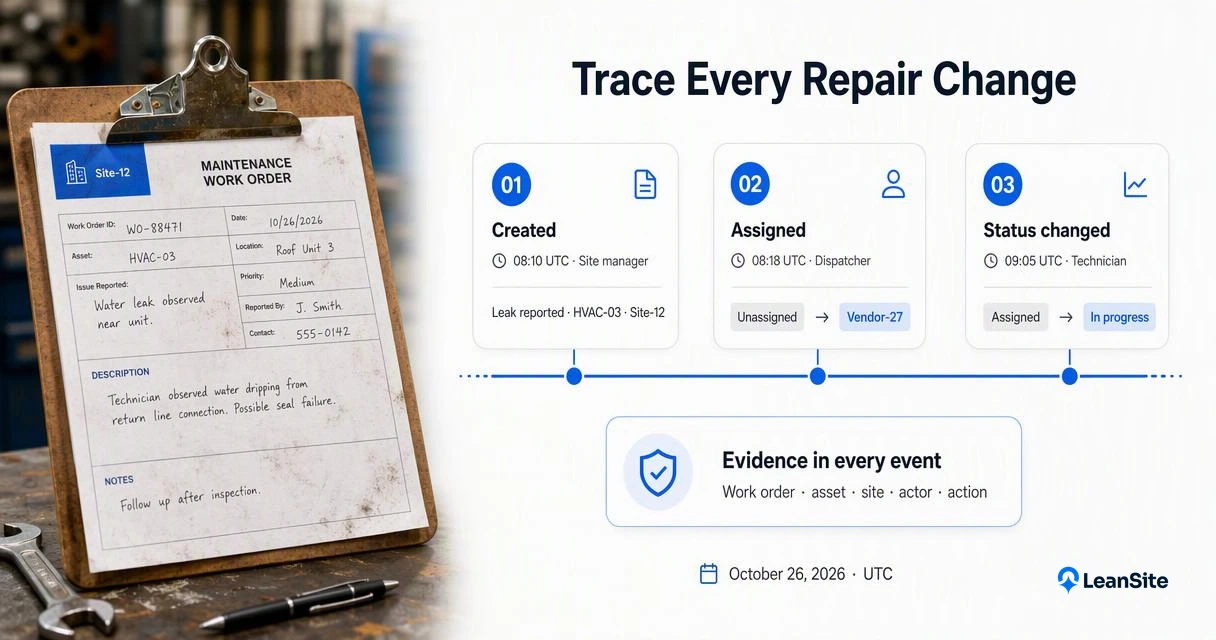
Example event log for an HVAC repair
The following is an illustrative log, not a record from a particular software product. All times use UTC on October 26, 2026.
| Time | Actor | Event | Evidence preserved |
|---|---|---|---|
| 08:10 | Site manager | Created WO-1842 | HVAC-03, Site-12, leak reported |
| 08:18 | Dispatcher | Assigned contractor | Unassigned to Vendor-27 |
| 09:05 | Technician | Changed status | Assigned to in progress |
| 09:40 | Technician | Added attachment | Photo-61, upload time |
| 10:00 | Facilities director | Approved estimate | $480, estimate version 2 |
| 10:12 | Technician | Replaced attachment | Photo-61 to Photo-62, reason |
| 10:45 | Technician | Completed repair | Repair notes, completion evidence |
| 11:20 | Administrator | Deleted duplicate record | Record ID, actor, reason |
Evidence behind the event
Attachment replacement should preserve an identifiable relationship between versions. Deletion events should remain visible even when the original item is no longer available, subject to retention and privacy rules.
Approval history should identify the exact estimate or invoice version accepted. For contractor handoffs, vendor dispatch workflows provide useful context for assigning responsibility.
How to build a reliable maintenance audit trail?
- Define required events for work orders, assets, and invoices.
- Assign individual accounts and role-based permissions to every participant.
- Record timestamps, change details, and supporting evidence at each handoff.
- Set retention rules, approval ownership, and correction procedures.
- Test retrieval and exports against a completed repair.
Capture evidence during the work
Technicians should attach observations and repair evidence when performing the task. Dispatchers should record reassignment reasons, while approvers should confirm scope and cost against the relevant document version.
A preventive maintenance ticket flow gives recurring jobs consistent checkpoints. Required fields should stay focused: excessive entry requirements can distract from useful evidence.
For repeat visits, link the new ticket to the same asset and earlier repair. That relationship lets an owner distinguish another symptom report from a repair that addressed a different fault.
A practical Leansite evaluation
A demonstration built around a real asset, contractor, and approval sequence gives teams a concrete way to assess workflow fit.
The Leansite platform belongs in that evaluation as a maintenance solution to consider against the site's evidence requirements. A walkthrough requested through getleansite.com can focus on actor identity, attachment handling, approvals, and record retrieval. Product-specific logging behavior should be confirmed directly rather than assumed from this checklist.
Auditing demonstration for industrial teams
This IATF 16949 auditing video offers industrial audit context, not a certification claim for commercial property maintenance.
Buyer checks for permissions and exports
Buyers should verify traceability through a hands-on test that includes different user roles, changed records, and exported evidence.
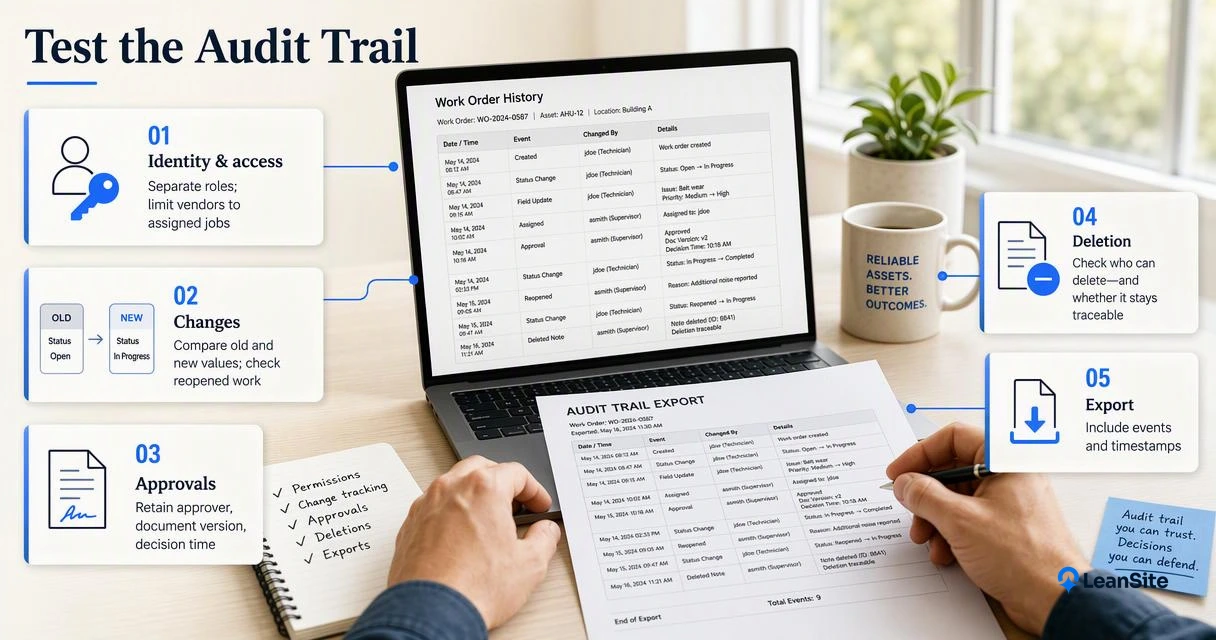
A demonstration checklist that tests the record
- Identity: Can reviewers distinguish technicians, vendors, administrators, and automated actions?
- Access: Can vendor accounts be limited to assigned jobs and appropriate sites?
- Changes: Does history preserve old and new values, including reopened work?
- Approvals: Are approver identity, document version, and decision time retained?
- Deletion: Who can delete records, and does that action remain traceable?
- Exportability: Do exports include events, timestamps, IDs, and accessible attachment references?
- Retention: What happens when accounts close, contracts end, or records reach their retention limit?
Request a sample export and reconstruct one repair outside the application. That exercise tests portability more clearly than a dashboard screenshot.
For portfolio purchasing, the guide to multi-site maintenance software in 2026 provides broader selection context.
Automation needs attributable actions
In 2026, evaluation should include system-generated actions as well as human edits. An automated status change needs an identifiable source and a link to the triggering event.
Relevant background includes the 2021 review of artificial intelligence in information systems and the 2021 overview of data-driven analytics. Neither establishes maintenance-specific compliance requirements.
Conclusion
A dependable maintenance audit trail makes a repair reconstructable from request to approval and later correction. The next step is concrete: select one completed job, define its required evidence, and request a role-based demonstration plus an export. Facilities teams considering Leansite can bring that test case to a product discussion.
