


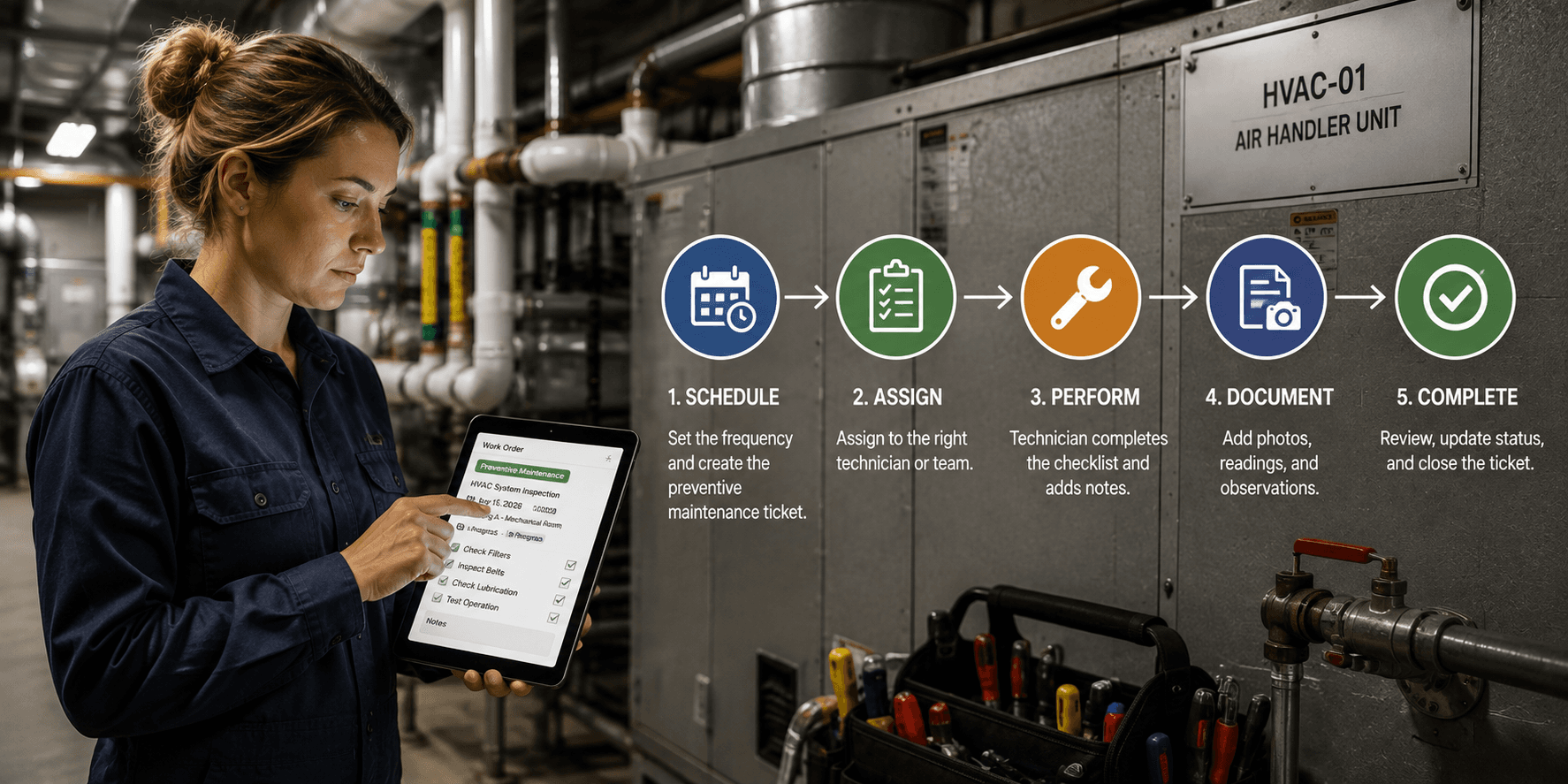
A preventive HVAC inspection was due last Tuesday. It's still sitting in the same queue as a broken toilet reported ten minutes ago, and by the time anyone gets to it, the belt that needed a $40 replacement has failed outright.
If that sounds familiar, it's not that your team isn't working. It's that the workflow was never actually designed. Intake happens one way at one property and another way at the next, routing depends on whoever picks up the phone, and preventive maintenance gets buried under reactive requests, the same failure pattern covered in 9 Reasons Maintenance Tickets Get Lost in 2026.
Quick answer: A preventive maintenance ticket flow needs six parts working together: centralized intake, standardized categories, a separate preventive maintenance lane, automated routing, built-in escalation for aging tickets, and portfolio-wide visibility. Building intake, routing, escalation, and visibility as one connected system, rather than four disconnected habits, is what makes facilities maintenance management reliable at scale.
1. How Do You Centralize Intake Across Multiple Properties?
The first cause of lost tickets across multiple properties is simple: there's no single place requests go. One site uses email, another uses a paper log, a third relies on a phone call to the front desk. Before anything else, every property needs the same intake method, whether that's a mobile form, a QR code, or a resident or tenant portal, feeding into one shared system.
This is the foundation of real facilities maintenance management: a single source of truth that every property uses the same way. Without it, no amount of routing logic or reporting downstream will fix the problem, because the tickets never arrive in a consistent format to begin with. This is the same principle behind How to Manage Maintenance Across Multiple Locations Without Losing Visibility.
2. How Do You Standardize Ticket Categories Before Automating?
Automated routing only works if every ticket is tagged consistently for work order management. If one property logs an issue as "plumbing" and other logs the same problem as "leak," routing rules and ticket tracking both break down. Build a standard category list and apply it the same way at every site before layering automation on top.
|
Classification Layer |
Values |
|---|---|
|
Work order trade/category |
HVAC, housekeeping, landscaping, electrical, plumbing, general repair, safety, and more |
|
Asset Type |
Plumbing, HVAC, Fire Safety, Electrical, and others |
|
Asset Class |
Equipment, Appliance, Furniture, System |
|
Asset Criticality |
Critical, Important, Standard |
This step is easy to skip because it feels administrative rather than technical, but it's what makes ticket tracking actually reliable at scale instead of an approximation built from inconsistent tags. Done well, a ticket tied to a critical HVAC asset can be filtered, escalated, and reported on differently than a ticket tied to a standard piece of furniture, without anyone manually re-tagging anything.
3. How Do You Separate Preventive Maintenance from Reactive Tickets?
Preventive maintenance tickets need their own lane. If PM tasks sit in the same queue as emergency repairs, they get pushed aside every time, which is exactly how preventive maintenance quietly turns into reactive maintenance over a year. Build scheduled PM tasks directly into the same system as reactive tickets but give them their own recurring triggers (by date, by meter reading, or by asset condition) so they surface automatically instead of competing for attention.
This is worth the setup effort. The U.S. Department of Energy's Federal Energy Management Program estimates that a functional preventive maintenance program saves roughly 12% to 18%, on average, compared to a reactive-only approach, and that gap tends to widen for exactly the kind of equipment failures that a buried PM ticket allows to happen. A recurring maintenance task, once configured, should also link directly to a specific asset, building a verifiable maintenance history for every piece of critical equipment in a portfolio.
4. How Do You Automate Ticket Routing by Location and Issue Type?
Once intake is centralized and categories are standardized, routing can actually be automated. A plumbing ticket at Property C should route to the on-site or nearest available technician automatically, not get relayed through a manager first. This is where work order management stops being a manual relay race and starts functioning as a system: tickets move to the right person based on rules, not whoever happens to be free to make a call. See Vendor Dispatch and Predictive Maintenance Automation for Multi-Site Teams for the full picture on how this works with third-party vendors.
|
Routing Path |
How It Works |
|---|---|
|
Internal teams |
Team leads delegate to team members directly |
|
Preferred vendors |
Tickets route automatically to a property's established vendor relationships |
|
Vendor marketplace |
Opens for competitive bidding when no preferred vendor is set |
For portfolios running the same job across many properties at once, look for a bulk-creation tool that generates one work order per property in a single flow, sharing a trade and a routing rule, so a seasonal HVAC program or a compliance sweep across dozens of properties doesn't mean building each ticket by hand.
5. How Do You Build Escalation for Aging Tickets?
Every workflow needs a safety net for tickets that stall. Set a threshold that automatically reassigns or flags a ticket to a manager if it hasn't moved. Without this step, tickets don't get lost dramatically. They just sit quietly until someone happens to notice, which is often too late for a tenant or resident who's been waiting, and it's rarely cheap once it's noticed. MaintainX's 2024 State of Industrial Maintenance survey of more than 1,165 maintenance professionals found unplanned downtime costs an average of about $25,000 per hour, and a stalled ticket on a critical system is exactly the kind of gap escalation rules are built to catch.
|
Ticket Priority |
Suggested Escalation Threshold |
|---|---|
|
Urgent |
24 hours |
|
Routine |
72 hours |
Look for a platform whose diagnostics track leading indicators, like open high-priority work orders, budget adherence, and vendor requests that have gone days without a bid, so problems surface before they drag down performance, and one that lets managers configure threshold alerts and automated report delivery on a set cadence rather than relying on someone remembering to check.
6. How Do You Give Leadership Portfolio-Wide Visibility?
The final piece is rolling everything up into a single view. Regional and executive leaders overseeing multi-property maintenance need to see ticket volume, aging, and completion rates across every site without calling each property manager individually, the exact set of capabilities covered in Top 7 Work Order Software Features for Visibility in 2026.
This is where a lot of the real cost of fragmented facilities operations hides. Facilities teams report spending roughly 60% of their working hours on coordination rather than hands-on repair work, according to data compiled by MPulse Software, and much of that time goes toward manually assembling the kind of portfolio-wide picture a proper dashboard should surface automatically. A useful version of this rolls completion rate, budget adherence, vendor reliability, and team efficiency into a single score with a per-location ranking, so attention goes to the lowest-performing properties first instead of getting lost in a portfolio-wide average.
Where Do Platforms Fit In?
Most facilities teams try to build this flow across a mix of tools: email for intake, a spreadsheet for categories, a separate CMMS for PM scheduling. UpKeep is a common starting point for facilities operations teams, offering solid mobile intake and asset tracking, though larger multi-property teams often find its cross-site reporting and escalation rules require workarounds as the portfolio grows. For a broader evaluation framework, see How to Choose the Right CMMS: A Complete Buyer's Guide (2026).
Where LeanSite AI Fits
LeanSite AI, the platform this article's publisher builds, is designed to run all six steps above as one connected system rather than a patchwork. According to its own published feature set, that includes a Property Details view for centralized intake per property, standardized categories through work order trades and asset classification, Recurring Work Orders for separate PM scheduling, Bulk Work Orders for creating the same job across many properties at once, and an Operational Health Module with a Portfolio Health Score and scheduled Reports Module delivery for escalation and portfolio-wide visibility. As with any vendor's description of its own product, this is worth confirming directly against a trial or demo rather than taken at face value. Book a demo to see it working across your own portfolio.
FAQ: Preventive Maintenance Ticket Flows
What's the first step in building a preventive maintenance ticket flow? Centralizing intake. Every property needs to submit requests the same way before routing or automation can work reliably.
Why do preventive maintenance tasks get buried under reactive tickets? When PM tasks share a queue with emergency repairs, they lose priority every time, which is why they need their own recurring triggers, separate from the reactive ticket flow.
How do facilities directors get visibility across multiple properties? By using a system with portfolio-wide dashboards that roll up ticket status, aging, and completion rates across every site in one view, rather than checking in property by property.
How do you prevent tickets from being lost or forgotten? By pairing standardized categories with automated escalation. Aging thresholds should flag or reassign a stalled ticket automatically, and diagnostics on leading indicators should surface problems before they affect a tenant or resident.
What's the difference between a CMMS and a full facilities maintenance management platform? A traditional CMMS typically handles work order management and asset records in isolation. A full facilities maintenance management platform connects intake, categorization, preventive scheduling, routing, escalation, and portfolio reporting into one system, so a ticket flow that would otherwise be assembled from several disconnected tools runs as a single, enforced workflow.
A ticket flow only works if it's designed, not assembled after the fact.
Written by Pelumi Akinwande, Operations Content Lead at LeanSite, who works directly with multi-site facilities and property operations teams evaluating work order software. Connect on LinkedIn.
