


TL;DR
Organize monthly reporting around completed work, open risks, budget exceptions, vendor issues, and owner decisions. Pair every exception with evidence, an accountable person, and a deadline. Keep the owner summary short, with detailed work records linked underneath.
A facility management report should make the next decision clear, not just count closed tickets. Owners need cost visibility; maintenance teams need priorities; portfolio leaders need comparable site results.
For 2026, a practical format combines a short monthly summary with traceable work records. Leansite is an option for teams evaluating a software-based facilities workflow.
Monthly facilities report: A dated summary of building operations, maintenance activity, spending, service performance, and decisions requiring approval.
Contents
- Purpose and reporting scope
- Copyable monthly template
- Preparation and validation
- Software-supported reporting
- Reporting FAQs
Table of Contents
What is a facility management report?
A facility management report is a structured account of a property's maintenance, operating costs, asset condition, service delivery, and outstanding decisions over a defined period. Its purpose is to turn operational records into priorities that facility managers, property owners, and vendors can act on, with clear responsibility and supporting evidence.
An inspection record captures findings from a particular visit. A monthly management summary connects those findings to repair status, spending, service obligations, and owner approvals. Mitti's facility inspection template includes photos, meter readings, and actions, useful inputs rather than a complete owner briefing.
Reporting scope should match the audience:
- Owners: budget changes, asset exposure, and approval requests.
- Facility managers: workload, overdue actions, and maintenance priorities.
- Vendors: assigned jobs, acceptance criteria, and invoice documentation.
Portfolio reporting also needs consistent site names and reporting periods. The multi-location facilities management guide provides related context.
Video context: responsibilities behind the report
Facility manager responsibilities help explain which activities belong in the monthly summary.
Monthly template with an annotated example
A useful monthly template separates completed work from unresolved exceptions and gives each decision a named approver.
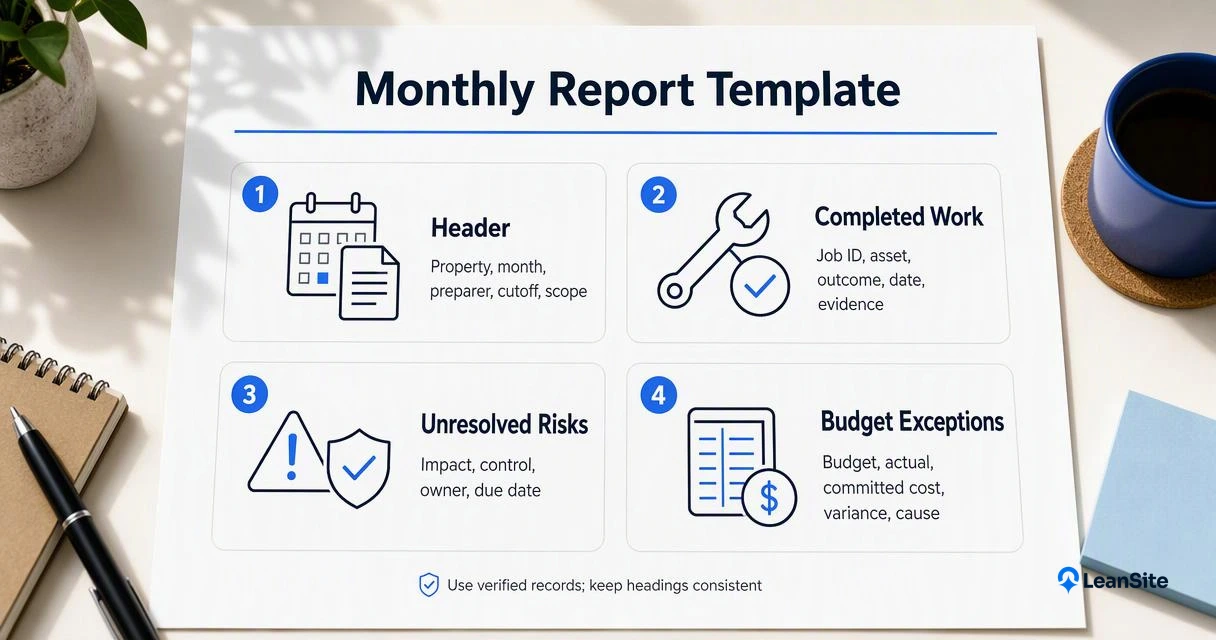
The following structure is copyable. Replace bracketed fields with verified records, and retain the same headings each month.
- Header: [Property or portfolio], [month], [prepared by], [data cutoff], [scope].
- Completed work: [Job ID], [asset], [outcome], [completion date], [evidence link].
- Unresolved risks: [Issue], [operational impact], [temporary control], [responsible person], [due date].
- Budget exceptions: [Budget], [actual], [committed cost], [variance], [cause], [proposed action].
- Vendor issues: [Vendor], [job], [agreed service requirement], [exception], [next action].
- Owner approvals: [Decision], [options], [recommendation], [amount], [approver], [deadline].
Field definitions and illustrative entries
These invented entries demonstrate the format; they aren't research findings or performance benchmarks.
| Report field | Definition | Illustrative monthly entry |
|---|---|---|
| Completed work | Accepted work with evidence of completion | HVAC-104: filter replacement completed October 6; checklist attached |
| Unresolved risk | Open issue with impact and temporary control | Roof leak above stockroom; stock relocated; manager owns inspection due October 23 |
| Budget exception | Difference from approved spending, with explanation | $12,000 budget; $13,500 actual; $1,500 unfavorable variance from emergency plumbing |
| Committed cost | Approved spending not yet recorded as actual | $2,000 approved electrical work awaiting invoice |
| Vendor issue | Departure from an agreed service requirement | Contractor missed the agreed visit; coordinator confirming revised date |
| Owner approval | Specific decision requiring authorization | Approve $4,800 pump replacement by October 26; quote attached |
The roof entry is actionable because it identifies exposure, temporary protection, responsibility, and timing. The pump entry states a decision rather than merely reporting equipment condition.
Actual spending and commitments remain separate so pending invoices don't disappear from the owner's view.
A reported exception should end with an action, an accountable person, or an explicit decision request.
How should teams prepare the monthly report?
- Set the monthly report's period, properties, and data cutoff.
- Reconcile work orders, invoices, inspections, and approved commitments.
- Verify completion evidence and assign owners to open actions.
- Calculate spending exceptions using consistent definitions.
- Summarize decisions, attach supporting records, and schedule review with the responsible approvers.
Keep the summary short enough for an owner meeting. Detailed job histories belong in linked records, not paragraphs of chronological updates.
Validation checks before publication
Reliable reporting requires consistent denominators and status rules.
- Completion rate: completed jobs divided by the defined job population; state whether that means jobs due or jobs opened during the month.
- Preventive maintenance compliance: scheduled tasks completed by their due dates divided by scheduled tasks due.
- Budget variance: actual spending minus approved budget; label unfavorable amounts clearly.
- Backlog age: elapsed time since opening, grouped by priority and site.
A reopened job shouldn't remain counted as successfully completed without explanation. Separate planned work from reactive repairs so workload changes remain visible.
Facilities ticket management offers related guidance on organizing job records. For acceptance evidence, campus work-order transparency addresses a closely related reporting need.
How Leansite handles this
Leansite offers a software-based facilities management approach that teams can evaluate against the monthly reporting structure above.
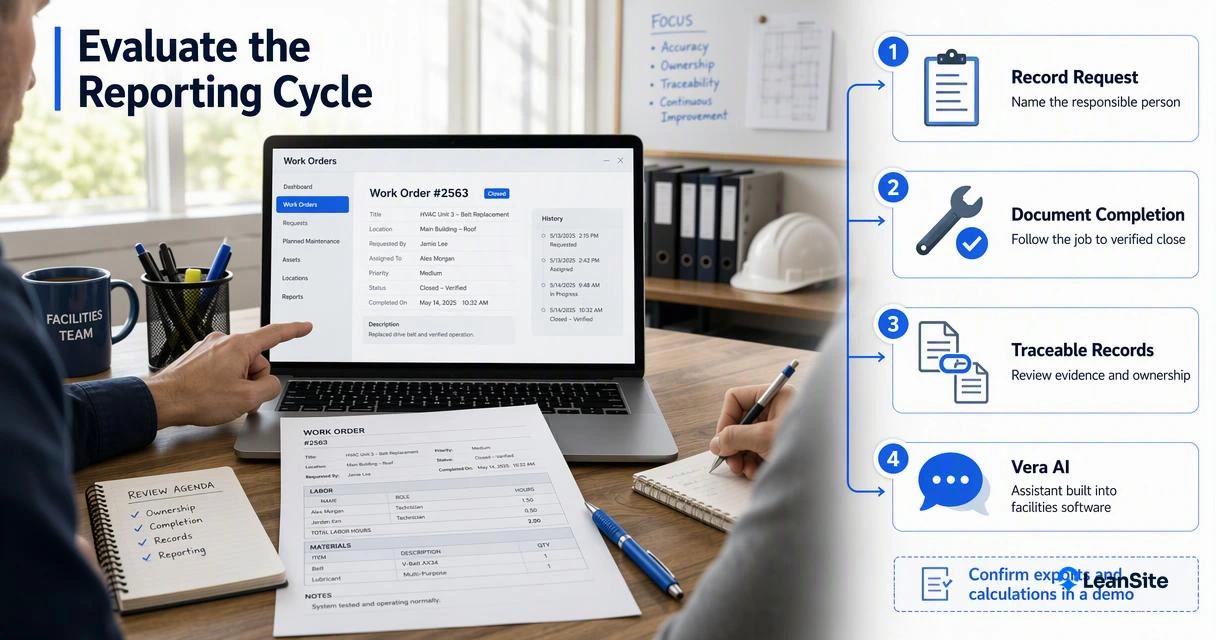
Its published Vera AI assistant overview introduces an assistant built into the facilities software. Reporting evaluation should focus on traceable operational records and clear review steps rather than assuming a particular export, integration, or automated calculation is available.
A practical demonstration should follow one property's reporting cycle:
- Record a maintenance request and its responsible person.
- Follow the job through documented completion.
- Connect supporting evidence to the monthly summary.
- Present an approval request with its deadline.
For 2026 reporting, human review should remain part of AI-assisted drafting. The AI facility management software guide provides background for evaluating that workflow.
Conclusion
Put the next facility management report into practice with one property and one reporting month. Assign section owners, reconcile the records, and review approval requests before distribution. For a software-supported workflow, arrange a Leansite demonstration through getleansite.com using the completed template as the evaluation checklist.
